AI in everyday work
AI in everyday work: Which uses help?
In everyday work, AI can be used for initial text drafts, structuring approved information, generating alternative ideas and preparing recurring tasks, for example. It is useful where a clearly defined task can be carried out with permitted data and the result can be checked by someone with the relevant expertise. The entire process, including review and rework, shows whether the effort is worthwhile.
If you search for ‘using AI’, you will come across very different possibilities. This article focuses on teamwork: tasks that recur in an office, a consultancy, an agency or an internal specialist department. The examples are suggestions for your own experiments, not promises of time savings.
Perhaps you have already purchased access and run initial training sessions. Yet it remains unclear who is using the tools for what. Alongside new ideas, you then need a transparent path from an individual use case to a repeatable way of working.
Which tasks are suitable for an initial experiment?
Start with a frequent, manageable task whose result you can assess. A clearly defined draft is easier to review at the outset than a complex decision with many unknown assumptions. The following selection concerns generative AI, which creates or edits content.
| Task | Possible AI contribution | What people check |
|---|---|---|
| Prepare an internal message | Write a first version from approved bullet points. | Facts, tone, completeness and recipients. |
| Get to grips with a longer text | Create a summary with open questions. | Whether essential points are missing or have been changed. |
| Plan a workshop | Suggest different options for the agenda. | Objective, time required and suitability for the group. |
| Answer a recurring enquiry | Prepare a draft based on approved information. | Commitments, current terms and the individual case. |
| Improve a work instruction | Flag unclear steps and phrase them more clearly. | Technical accuracy and whether the processes are actually feasible. |
| Learn about a topic | Ask for explanations of terms and suggested practice questions. | The quality of the explanation and reliable original sources. |
If reviewing the result takes longer than doing the task in the existing way, the use case may be unsuitable or may need different preparation. A technically impressive result is not yet a good work process.
How do I write a useful instruction for AI?
Describe the task, source material, target audience and desired result. Add which details must remain unchanged and what the AI should do when information is missing. An instruction such as ‘Write a good email’ leaves key decisions open.
A fictional example for an internal update is: ‘Use these approved bullet points to write a short message to our project team. State the decision, the reason and the next step. Do not add facts. Mark information that is still missing as open points.’ Then add only material whose use is permitted in your chosen system.
Work in manageable steps. Check the content and structure first, then the wording. If an answer is wrong, consider whether information was missing, the task was too broad or the system is not reliable enough for the purpose. Adding more text to an instruction does not fix every problem.
Which data can we use for this?
Clarify this with the responsible people in your company for the specific systems and tasks you use. A general rule such as ‘AI may be used’ says nothing about whether customer data, internal documents or personal information may be entered.
For initial exercises, you can use fictional or explicitly approved content. Do not make superficial changes to real data and then simply declare it anonymous. Context can also make identification possible. Also consider who can access the content entered and the results generated.
The webinar series from the Bavarian Association of Chambers of Commerce and Industry connects practical applications with topics including data protection and checking results. These questions should also form part of your workflow when introducing AI. This article does not replace a legal or security review of your specific use.
How do we check quality and the actual effort involved?
Before the experiment, define what makes a result usable. For an internal message, that might mean accurate facts, clear language and an unambiguous next step. For a summary, what matters is whether crucial qualifications are retained. Polished wording alone is not a sufficient review criterion.
Record the whole process: preparation, input, follow-up questions, revision and expert approval. A quick first draft can become costly again through extensive rework. Conversely, an experiment that initially takes considerable effort can be useful later if a reliable process develops.
Compare tasks that are as similar as possible. If the task done with AI was easier than the previous one done without it, the time difference tells you little. Document the difficulty and the quality required as well. A transparent comparison is enough to get started; you do not need a promise of savings with false precision based on a few individual experiments.
Why is existing AI access sometimes used so little?
Access only answers the question of whether someone can open a tool. Other conditions must be in place for use: a suitable task, permitted data, sufficient confidence in using it and time to experiment.
One person may be convinced of AI's value and still find no suitable task. Another knows the use cases but does not know which information they are allowed to use. Someone else has tried it, needed to correct a lot and returned to their previous way of working. These situations call for different actions.
That is why ‘Why aren't you using AI?’ is often too broad a question. Ask more specifically: Which task did you try? Where did uncertainty arise? What rework was needed? What would make the next attempt easier? Avoid a climate in which every instance of non-use is treated as resistance. For some tasks, the existing approach is simply more sensible.
How do we choose between training, communication and support?
Match the action to the obstacle. If rules are missing, another tool demonstration will only help to a limited extent. If people know the rules but lack suitable examples, a joint exercise using a typical task may help. If individuals get stuck, they may need a specific person to contact.
For a Lunch & Learn, consider what people should be able to do differently afterwards. ‘Everyone has heard a presentation’ describes attendance. ‘Participants can independently prepare an approved task and check the result’ describes a desired ability in the workflow. Only then can you determine what you need to observe later.
Keep the use case present afterwards without overwhelming employees with constant appeals. A short review of a real experiment can be more valuable than the next collection of general AI news. Name unsuitable use cases too. This helps the team understand the limits of use.
How can those responsible keep track of implementation?
Distinguish three levels. First: Which prerequisites have been put in place, such as access and rules? Second: Which ways of working are actually being tried or used repeatedly? Third: What changes are occurring in quality, effort and the support people experience?
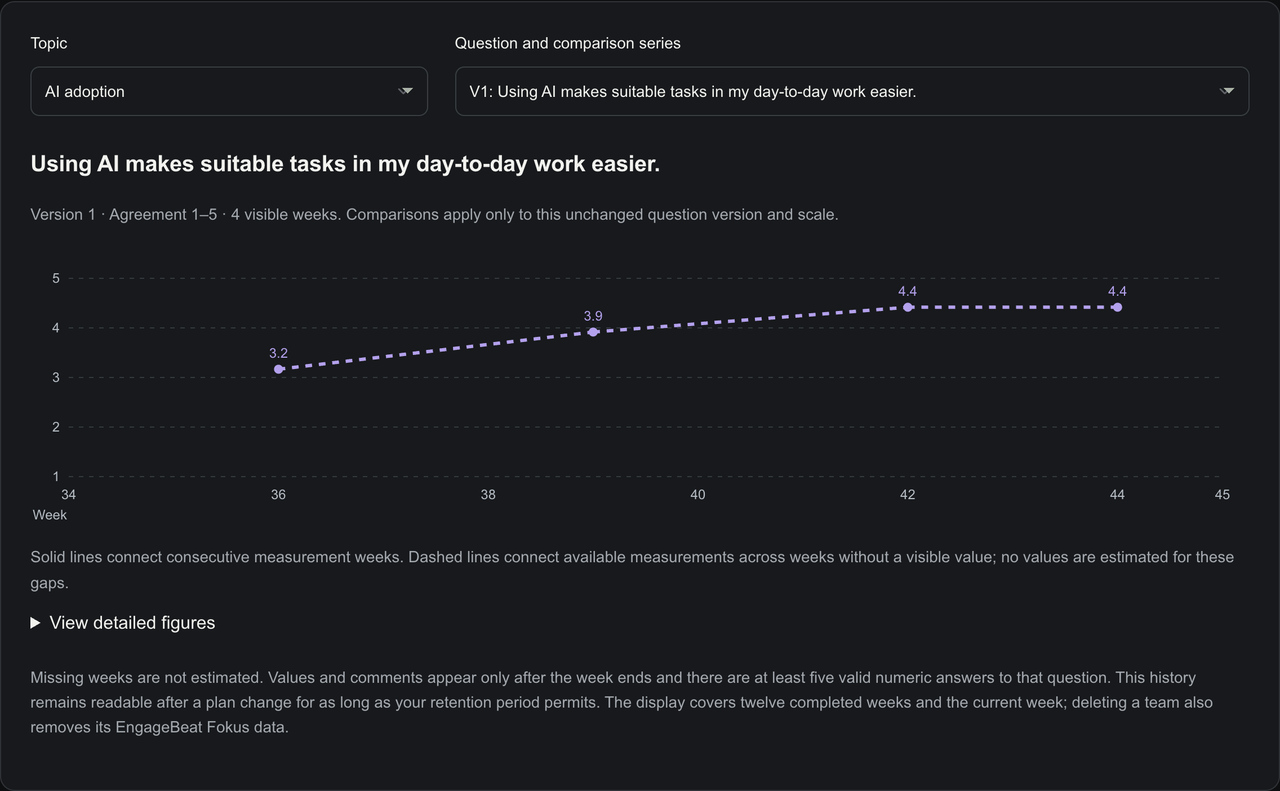
Team feedback complements technical usage figures. A login does not yet show helpful use. Conversely, a positive assessment does not yet show measurable time savings. The guide Measuring AI adoption in your team describes suitable questions and these limitations in more detail.
For a simple overview, you can record the following for each use case: task, responsible person, permitted material, review step, observed benefit and next point to clarify. Track developments at the level needed to manage the rollout. A rollout needs direction, not a ranking of individual employees.
What would be a useful start over the next few weeks?
Choose a manageable use case and first review together whether it is suitable. Clarify approval, define a usable result and try the task with appropriate material. Document helpful results as well as errors and rework.
Use the review as a decision point: continue, change the process or end the experiment. You can then choose a second use case or share the first example with the team. The sequence should follow work needs, not the number of features available in a tool.
If you introduced AI some time ago, you do not need to start from scratch. Collect the use cases so far, narrow down the biggest obstacles and review the next action specifically. The AI adoption page shows how regular feedback can accompany this process.
Where does EngageBeat fit into this process?
EngageBeat Fokus is not an AI assistant for texts or tasks. It helps those responsible accompany the rollout with recurring team feedback and review actions more specifically. Manage an AI rollout with feedback or try EngageBeat Fokus: after 28 free days, your chosen subscription begins unless you cancel in time.
If tools are available but hardly used, the decision guide for low AI use helps distinguish clarity, capability and opportunity.
What common questions are there about using AI?
Does every team have to use AI for every task?
No. Choose tasks based on suitability, permitted data and reviewable benefits. A deliberate decision against an unsuitable use case is also a useful result.
Is training enough to introduce AI?
Training can help. Suitable use cases, clear rules, support with difficulties and opportunities to experiment must also be available.
Does regular use prove an economic benefit?
No. Also check quality, total effort and relevant business results. Usage figures and self-assessments each provide only part of the picture.
Sources and further background
Try it in your team
Ask about barriers to use with EngageBeat Fokus and track whether support is reaching everyday AI use.
Try free for 28 days — with up to three teams. Can be ended at any time during the trial.
All terms