EngageBeat explained
Which questions help your team?
Short, clear statements make regular feedback easier. In EngageBeat, you answer the fixed index question and one to three rotating questions each week.

The fixed index question
“Overall, my experience of working together in my team this week has been positive.”
This statement stays the same. Its mean alone determines the EngageBeat Index. This means that changing the additional topics does not change how the index is calculated.
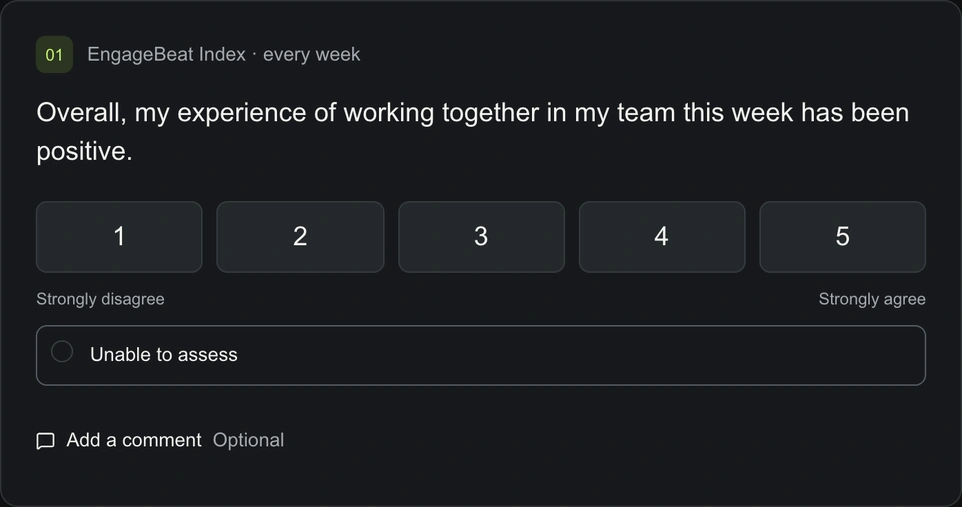
The fixed index question in the participant area. Additional questions use the same agreement scale.
Examples from the standard topics
- Collaboration: “We support one another in our team.”
- Clarity: “I know what the priorities are this week.”
- Workload: “My workload is manageable.”
- Appreciation: “My work is appreciated within the team.”
- Psychological safety: “I can express my opinion openly, even when it differs from others.”
These are examples from the ten existing standard topics. The topics rotate; not every statement is presented every week. The agreement scale always runs from 1 to 5. An optional comment can explain a rating.
EngageBeat Fokus: AI adoption in the team
This topic pack looks at the prerequisites for using AI and experiences with it. For example: “I know which AI tools I am allowed to use for my work.” Or: “I can find support in my team when I have questions about using AI.”
The team leader loads the questions as drafts, reviews them and activates the appropriate statements. Responses are not analysed by AI. The pack assesses neither individual performance nor any individual’s technical ability.
EngageBeat Fokus: transformation and custom questions
The transformation pack includes questions about guidance and support during change. You can also create your own statements using the same agreement scale. Drafts can be reviewed and activated; active questions can be paused. You can create up to 50 custom questions per team.
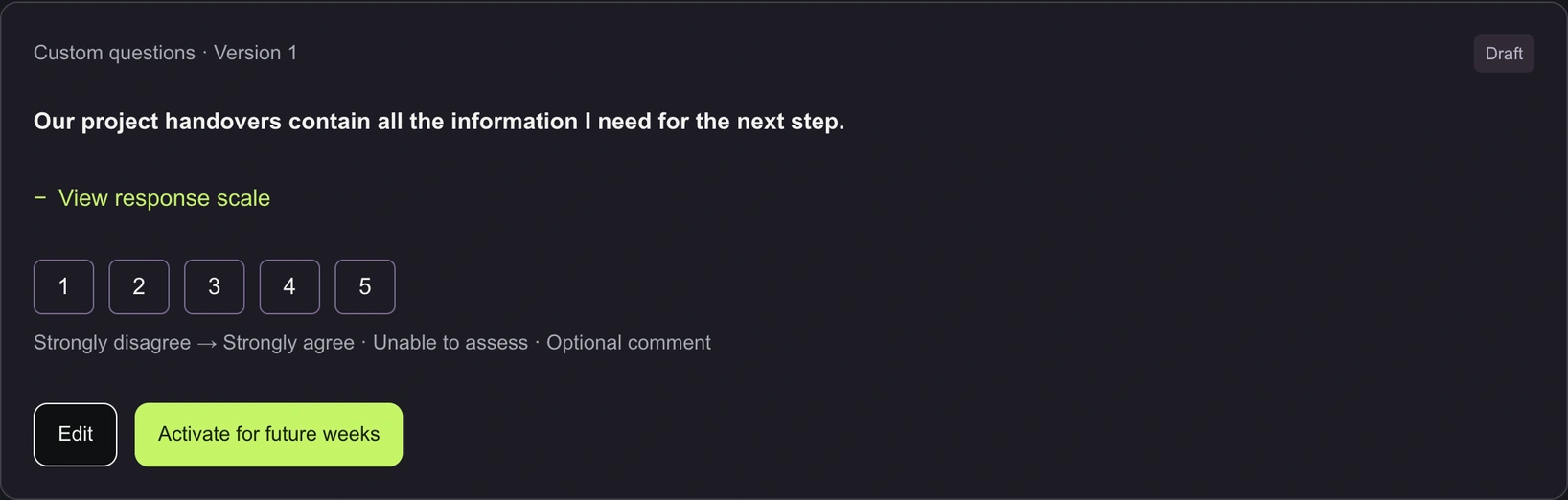
A custom question about project handovers, saved as a draft. You review the wording and scale before activating it for future weeks.
Active custom questions enter the pool for future weeks whose questions have not yet been compiled. Activation does not guarantee that a question will be asked the very next week. Questions asked less often are given priority, followed by those not asked for the longest time; remaining ties are decided at random. EngageBeat Fokus takes priority in the one to three variable weekly slots. Additional standard questions fill any empty slots. New or edited questions do not change a survey already in progress. Responses to the same question version are compared.
Focus each statement on one specific issue. Avoid double questions, names, assessments of individual colleagues and requests for sensitive personal information. Questions should concern issues within the team’s influence so that the results can lead to a useful conversation.
Try EngageBeat Fokus before deciding
The public web app demo shows a fictional EngageBeat Fokus team. No sign-up and no real team data. For the free trial, you can choose EngageBeat Team or EngageBeat Fokus.
No login · fictional example data · opens in a new tab. Open ‘Questions & topics’ for custom questions and packages, then ‘Topic trends’ for the separate analysis.
- Open “Questions & topics”, then “Custom questions & topic packs”.
- Create your own example statement as a draft. Check the fixed scale from 1 to 5, then activate or pause the question.
- Add drafts from AI adoption or transformation and review each statement before activating it.
- Switch to “Topic trends”. There you can see a chart and table by topic and question version, separate from the fixed team index.
The current week remains unchanged. Changes affect weeks compiled in future; changing the wording or topic starts a new comparison series. The demo shows these states but does not calculate a new following week or results from your entries. The existing history consists of sample data. Reloading or resetting discards your changes.
A question alone does not build trust
Before the first check-in, explain its purpose, access rights and the agreed retention period. Results are shown to authorised team owners after the week closes and once there are at least five valid responses per question. Free text and context may allow individuals to be identified. The protection model and its limitations therefore form part of the introduction.
Provide targeted support for AI adoption
How to use EngageBeat Fokus to guide your AI rollout with regular feedback.
Is EngageBeat right for your team?
Choose EngageBeat Team for everyday teamwork or EngageBeat Fokus for custom questions and change initiatives.
Try free for 28 days — with up to three teams. Can be ended at any time during the trial.
All terms