EngageBeat · Feedback terminal
Team feedback does not need a personal computer.
Does your team work without individual PCs or company email addresses? With EngageBeat, employees can complete their weekly check one after another on a shared tablet set up for them. You provide the device; personal employee accounts are not needed to take part.
Try free for 28 days — with up to three teams. Can be ended at any time during the trial.
All terms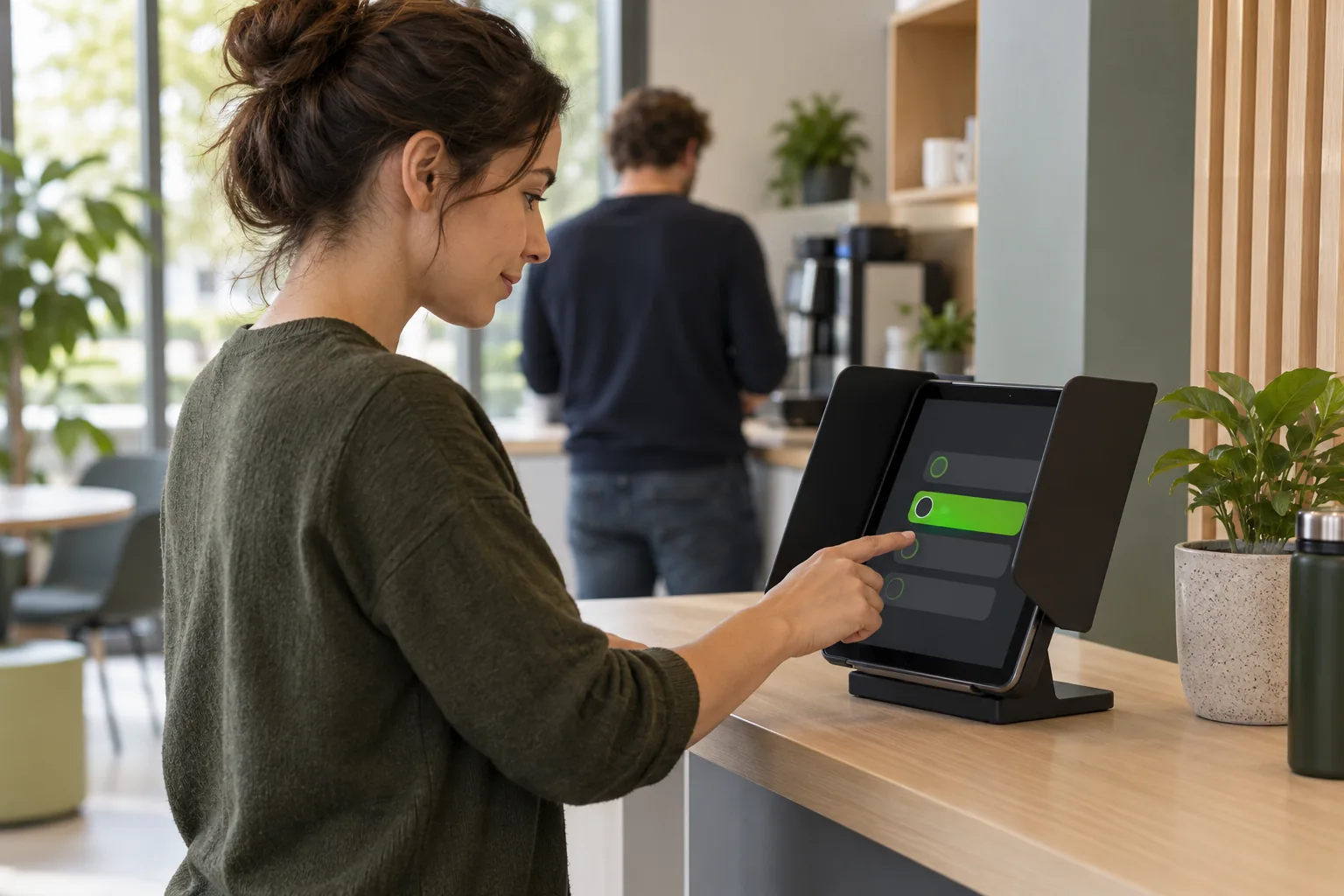
One shared deviceseveral people, one after another
2–4 short questionsonce a week
No employee accountsneeded to take part
Ask where everyday work happens
Enable the whole team to take part each week.
The person responsible sets up the terminal. Employees start their check directly on the prepared device.
Participate at a terminal
Overall, my experience of working together in my team this week has been positive.
Unable to assess
Optional comment
One shared device · no personal login
Take part, one after another.
The terminal guides people through the weekly questions. A clear scale, the ‘I can’t assess this’ option and optional comments provide space for their own assessment.
Start afresh after every submission.
Once saving is confirmed, the responses disappear immediately. After ten seconds, the start screen is ready again.
Act on the feedback.
Authorised team owners review completed weeks and discuss the results released for viewing. The terminal itself does not display results.
Example use case
A regular place to ask: how are things going?
A business provides a tablet in a private alcove in the staff area. The team knows which days they can complete the weekly check.
- 01
Prepare access
The person with owner access sets up the shared tablet in the team settings.
- 02
Enable participation
Employees use the device one after another. A visible reminder states the weekly routine and who to contact.
- 03
Move forward together
The manager looks at the released results and chooses a specific starting point with the team.
The location makes access easier. Privacy from onlookers, a fair participation window and the rule ‘one check per person per week’ are part of the local arrangements.
The right way to get started
Tablet participation is included in your plan.
EngageBeat Team and EngageBeat Fokus can be used as a terminal. There is no separate terminal surcharge. You provide a tablet, its placement and internet access.
- Prepared weekly questions with EngageBeat Team
- Your own questions as well with EngageBeat Fokus
- Set up the shared tablet for your team
EngageBeat Team
49 € per team / month
Or 499 € per year with annual payment in advance.
Try free for 28 days — with up to three teams. Can be ended at any time during the trial.
All termsExcluding VAT at the statutory rate. For businesses and organisations.
From your initial concern to the next step
Your existing tablet becomes a way for the team to take part.
EngageBeat runs in a browser with an internet connection. You do not need a separate terminal product or employees’ personal devices.
- 1
Set up the team as usual
Prepare the team and clarify information, responsibilities and internal requirements.
- 2
Choose the survey mode
As the team owner, open the team settings and select ‘Terminal’. The team then participates on the shared device; invitation emails and weekly links are paused.
- 3
Sign in the device
Open terminal access and sign in the device. The session lasts seven days; a responsible person takes care of signing in again.
Clear rules for honest feedback.
Responses are not linked to names. Team results are only available after the week closes and with at least five valid responses per question. Free text and context may still allow people to be identified.
Access and confidentiality in detailBefore you decide
What you should know.
Do we need special hardware?
You need your own device with a browser, JavaScript, necessary cookies and an internet connection, such as a shared tablet. EngageBeat does not supply hardware or a tamper-proof kiosk lock. Test the actual workflow on your device before using it regularly.
How are responses hidden from the next person?
Once saving is confirmed, responses and comments disappear immediately; the start screen returns after ten seconds. Unsubmitted entries are discarded after 120 seconds of inactivity. If the save outcome is unclear, they remain hidden until someone deliberately resolves the issue.
Can we use the terminal and normal weekly links in parallel?
Each team uses one survey mode. In terminal mode, check-in invitations, reminders and weekly links are paused. You arrange reminders at your location. You can change the survey mode later.
Does the terminal prevent one person from responding several times?
No. It does not verify identity. The same person can submit multiple times. Counts represent check-ins, not a verified number of distinct employees. Communicate the rule clearly: one check-in per person per week.
When are results released?
Only after the week has ended and at least five check-ins have been submitted. Each individual question also needs at least five valid numerical responses. “I can’t assess this” does not count towards that numerical threshold. Five terminal submissions do not prove that five different people responded.
Is there a schedule or time-tracking integration?
No. Placing a terminal next to your time clock is an organisational example, not a technical integration. You arrange participation on particular days yourself. EngageBeat also offers no automatic switch to an information screen and no offline mode.
Your next step
Which location suits your team?
Prepare your access and choose a location where employees can take part undisturbed. The free trial begins only after preparation and confirmation of the start.
Try free for 28 days — with up to three teams. Can be ended at any time during the trial.
All terms
Sven HeeseFounder of EngageBeatWho's behind EngageBeat